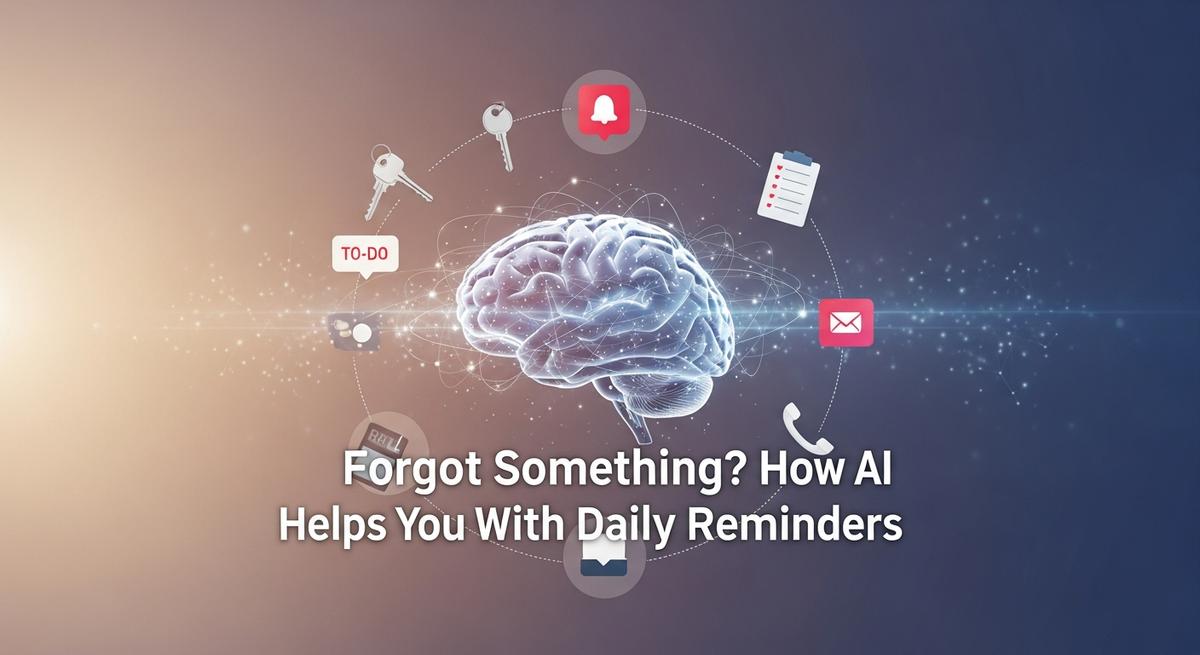
Forgot Something? How AI Helps You With Daily Reminders
- November 26, 2025
- ~ 1 min read
- 240 views
- Everyday AI , Lifestyle & AI
Introduction to AI-Powered Daily Reminders
The Universal Problem of Forgotten Tasks
We've all been there: you're deep in focus on a project when suddenly it hits you—you completely forgot about that important client follow-up, the meeting prep you meant to do, or the deadline that's now just hours away. The mental weight of trying to remember everything while juggling multiple responsibilities is exhausting. Whether you're managing a packed calendar, coordinating with team members, or simply trying to stay on top of your personal tasks, the reality is that traditional reminder systems often fail us when we need them most.
The problem isn't just about forgetting; it's about the inefficiency of how we're reminded. A generic notification that pops up at a predetermined time might catch you at the worst possible moment—when you're in a meeting, driving, or already overwhelmed with other tasks. These one-size-fits-all reminders lack context, timing intelligence, and personalization, leaving you scrambling to catch up or, worse, missing critical deadlines entirely.
Why Traditional Reminders Fall Short
Conventional reminder systems have served us adequately for years, but they come with significant limitations. Static reminders don't adapt to your work patterns or current workload. They can't prioritize which tasks actually need your attention right now versus which ones can wait. They don't learn from your behavior or preferences, and they certainly can't predict the optimal moment to remind you about something based on your schedule and energy levels.
Additionally, traditional methods require constant manual management—you have to set each reminder individually, update them when plans change, and remember to check them regularly. This manual overhead defeats the purpose of having reminders in the first place. The result? Many professionals find themselves overwhelmed by too many notifications, leading to notification fatigue where important reminders get lost in the noise.
Enter AI: A Smarter Approach to Daily Reminders
Artificial intelligence is transforming how we manage reminders and daily tasks by introducing a level of intelligence and personalization that was previously impossible. AI-powered reminder systems don't just notify you at preset times—they understand your workflow, analyze your behavior patterns, and deliver reminders at moments when you're most likely to act on them.
These intelligent systems can detect inactivity and send smart nudges to help you pick up where you left off at a more convenient time. They pull together relevant context before important meetings, automatically prioritizing your tasks based on urgency and deadlines. AI reminders learn from your preferences, adapting their communication style and delivery method to match how you work best. Whether you prefer email notifications, SMS alerts, or push notifications, AI systems intelligently determine which channel will be most effective for each reminder.
Beyond simple notifications, AI-powered reminders integrate seamlessly with your existing tools—your calendar, email, to-do lists, and project management platforms. This integration means your reminders have context. Before a critical client meeting, an AI system can automatically surface relevant emails, documents, and notes you'll need. For sales professionals, AI ensures no follow-up opportunity slips through the cracks by intelligently timing when you should reach out to leads and clients.
What This Article Will Cover
Throughout this comprehensive guide, we'll explore how AI reminders are revolutionizing task management and daily productivity. You'll discover the specific ways AI enhances reminder accuracy and personalization, learn about the key features that make these systems effective, and understand how different professionals—from executives to sales teams—are leveraging AI reminders to reclaim hours each week.
We'll examine real-world applications, explore the technology behind intelligent reminders, and provide practical insights into how you can implement these tools in your own workflow. By the end, you'll have a clear understanding of how AI-powered daily reminders can eliminate forgotten tasks, reduce decision fatigue, and help you focus on what truly matters.
Understanding AI in Daily Reminder Systems
Core AI Technologies Powering Reminder Systems
Modern daily reminder systems leverage advanced AI technologies such as machine learning and natural language processing (NLP) to deliver smarter, more intuitive reminders. Machine learning enables these systems to analyze vast amounts of user data, recognize patterns, and continuously improve reminder accuracy and timing. Meanwhile, natural language processing allows the AI to understand and interpret human language, enabling users to set reminders using natural speech or text commands effortlessly. This combination transforms simple alerting tools into intelligent assistants that understand context and intent, rather than just fixed schedules.
Personalization Through User Behavior Analysis
AI reminder systems go beyond static notifications by analyzing individual user behavior and preferences to tailor reminders uniquely. By monitoring how and when users interact with their tasks, calendars, and past reminders, the AI learns optimal times to send alerts, increasing the likelihood of task completion. For example, if a user consistently postpones reminders during morning hours but responds well in the afternoon, the system adapts accordingly. This personalization is powered by machine learning models that predict user habits and preferences, ensuring reminders are neither intrusive nor easily ignored.
Seamless Integration with Productivity Tools
Another key strength of AI-powered reminder systems is their ability to integrate deeply with calendars, emails, and other productivity applications. Through calendar integration, AI can automatically sync tasks and appointments, providing a unified view of a user’s schedule. This integration enables features like predictive scheduling, where the AI suggests the best times to complete tasks based on calendar availability and priorities. Additionally, reminders can be context-aware, adjusting notifications based on location, time of day, or even the user’s current activity, thanks to the AI’s ability to process contextual signals. This ensures that reminders are timely, relevant, and actionable.
Advanced Features: Predictive Scheduling and Context-Aware Reminders
State-of-the-art reminder systems incorporate predictive scheduling to automatically organize and time-block tasks, reducing the mental load of planning. AI estimates task durations and deadlines, then dynamically adjusts the schedule when conflicts arise or priorities shift. Context-aware reminders enhance this by delivering alerts that consider the user’s environment and behavior—for instance, reminding you to prepare for a meeting the day before or suggesting to follow up on an email when you are near your office. These adaptive notifications help maintain productivity without overwhelming the user with irrelevant alerts.
“AI transforms daily reminders from static alerts into intelligent, personalized productivity partners that learn and adapt to your unique workflow.”
By combining machine learning, natural language processing, and seamless calendar integration, AI-driven reminder systems empower users to stay organized effortlessly. These technologies enable smarter, more flexible, and contextually relevant reminders that evolve with your habits, helping you remember everything important in your busy life.
Real-World Applications of AI Reminders
Popular AI Reminder Apps Transforming Daily Task Management
In 2025, AI reminder apps have become essential tools for managing tasks and schedules with greater efficiency and intelligence. Some standout examples include Motion, Trevor AI, and Microsoft To-Do. Motion excels in schedule management by automatically organizing your day and prioritizing tasks based on deadlines and workload. Trevor AI offers simplicity and affordability, integrating seamlessly with Google Calendar and Microsoft Outlook 365 to provide context-aware reminders that alert users at optimal times, such as preparing for meetings a day in advance. Microsoft To-Do is favored for its deep integration with Microsoft 365 tools, offering task lists, recurring reminders, and personalized suggestions through its “My Day” feature. Additionally, Google Assistant remains a versatile AI assistant, enabling users to set, edit, and manage reminders via voice commands or typed input across devices, making it a flexible choice for personal productivity[1][2][3].
Enhancing Personal Productivity with AI Reminders
AI reminders significantly boost personal productivity by helping users manage appointments, recurring tasks, and habit formation effortlessly. For instance, AI-powered apps can learn your daily routines and habits, then proactively suggest reminders to complete recurring tasks like paying bills, exercising, or grocery shopping. The ability to set location-based or time-sensitive alerts ensures you never miss important commitments. Tools like Any.do offer daily planning sessions and “Moment” reviews that highlight overdue tasks, helping users stay on top of their responsibilities. Apple Reminders leverages Siri’s voice commands and cross-device syncing to create a seamless experience for iPhone users. These adaptive reminders adjust based on user behavior and changing schedules, supporting sustained productivity without manual oversight[3][4].
Business Applications: Streamlining Scheduling and Communication
In business contexts, AI reminder apps play a crucial role in reducing no-shows, improving team coordination, and optimizing follow-ups. Appointment reminders powered by AI, such as GReminders and YouCanBookMe, automate client communications via SMS and email, providing customizable templates and self-scheduling options that minimize scheduling conflicts. These tools integrate with popular platforms like Google Calendar, Outlook, Zoom, and Microsoft Teams, ensuring smooth synchronization across organizational workflows. For internal team scheduling, apps like Clockwise use AI to optimize meeting times and allocate focus periods, enhancing overall productivity. Automated follow-ups and reminders help businesses maintain consistent communication with clients and colleagues, reducing missed deadlines and enhancing customer satisfaction[1][5].
Adaptive AI Reminders for Dynamic Lifestyles
One of the most powerful features of AI reminders is their ability to adapt to lifestyle changes and unexpected events. Unlike static reminder systems, AI-powered tools monitor your calendar, task completion patterns, and external factors to reschedule or reprioritize tasks automatically. For example, if a meeting is postponed or a deadline shifts, AI reminders update your schedule in real-time and send timely notifications accordingly. This flexibility is especially valuable for busy professionals juggling multiple projects or for families managing complex routines. By learning from user habits and preferences, AI reminders evolve to provide increasingly personalized and context-aware assistance, making daily task management more intuitive and less stressful[2][6][7].
Advanced Insights into AI Reminder Technologies
As artificial intelligence continues to reshape productivity tools, the underlying mechanisms that power modern reminder systems have become increasingly sophisticated. Understanding these technical foundations reveals how AI moves beyond simple notifications to create intelligent, adaptive systems that genuinely enhance how we manage our daily responsibilities. This section explores the advanced algorithms, machine learning models, and architectural decisions that enable today's most effective AI reminder platforms.
Predictive Rescheduling and Adaptive Learning Algorithms
At the heart of intelligent reminder systems lies predictive rescheduling, a capability that distinguishes AI-powered solutions from traditional reminder tools. Rather than simply alerting users at predetermined times, these algorithms analyze historical patterns to determine optimal reminder timing based on individual behavior and contextual factors.
The foundation of predictive rescheduling involves machine learning models that process multiple data streams simultaneously. These systems examine when users typically complete tasks, their response patterns to different reminder types, and environmental factors like workload and calendar availability. By analyzing these patterns over time, AI agents can recognize which types of conversations typically need follow-ups, who tends to need multiple reminders, and what timing works best for different relationships[1]. This pattern recognition leads to increasingly sophisticated reminder suggestions that match natural work styles rather than imposing rigid schedules.
The algorithms employ techniques such as regression analysis to predict task completion times and classification models to categorize reminder urgency. Advanced systems implement reinforcement learning, where the AI receives feedback on whether reminders were acted upon, then adjusts future timing and messaging accordingly. This creates a feedback loop where reminder effectiveness continuously improves through interaction.
One particularly valuable capability is the detection of time-sensitive patterns embedded within natural language. When someone says "I'll get back to you next week" or "Let's reconnect after the quarter ends," these systems parse the temporal context and extract actionable deadlines[1]. This requires sophisticated natural language processing that goes far beyond simple keyword matching, as context is incredibly tricky—the same phrase could mean tomorrow or next quarter depending on the discussion.
Large Language Models and Natural Language Understanding
Large language models (LLMs) have fundamentally transformed how AI reminder systems interpret human communication. Rather than relying on rigid rule-based systems, modern reminder platforms leverage LLMs to understand conversation nuances, detect commitments and next steps, and generate contextually appropriate follow-up prompts[1].
The integration of LLMs enables several advanced capabilities. First, these models excel at commitment extraction—identifying promises, deadlines, and action items buried within conversational text. They understand implicit commitments that humans might easily overlook, such as recognizing that "I'll send you the report" creates a specific obligation with an expected timeline.
Second, LLMs power sophisticated reminder generation that feels natural rather than robotic. Instead of generic notifications, these systems craft personalized reminder text that reflects the original context, maintains appropriate tone, and includes relevant details. This personalization significantly increases engagement rates compared to standardized reminder templates.
Third, LLMs enable cross-conversation understanding. Rather than treating each message in isolation, these models can synthesize information across multiple conversations to build comprehensive context. If a user mentions a project deadline in one conversation and discusses implementation details in another, the system connects these threads to create holistic reminders that reference both discussions.
The technical implementation typically involves fine-tuned transformer models that have been trained on domain-specific communication patterns. These models are optimized for low-latency inference, as reminder systems must process conversations in real-time without noticeable delays. The accuracy of commitment detection directly impacts system reliability, making this one of the most critical technical challenges in reminder system development.
Cross-App Intelligence and Integrated Data Architecture
Modern AI reminder systems operate within complex ecosystems of interconnected applications. Cross-app intelligence represents a significant architectural challenge that determines whether reminder systems can truly understand user context or remain siloed within individual applications.
Effective cross-app integration requires secure APIs that connect reminder systems with calendars, email clients, project management tools, CRMs, and communication platforms. This integration ensures that reminder systems have access to comprehensive scheduling information, allowing them to avoid conflicts and identify optimal timing windows[2]. When the AI understands existing schedules, time zones, and availability patterns while avoiding calendar conflicts, it can position reminders at moments when users are most likely to act on them.
The technical architecture typically implements a unified data model that normalizes information across disparate systems. Rather than maintaining separate representations of tasks, events, and commitments in each application, intelligent systems create a single source of truth that aggregates data from multiple sources. This approach enables sophisticated queries like "find all tasks due this week that relate to Project X and aren't yet scheduled" without requiring manual compilation.
Real-time synchronization poses significant technical hurdles. When a user reschedules a meeting in their calendar application, the reminder system must immediately reflect this change to avoid sending outdated reminders. This becomes exponentially more complex when dealing with multiple calendars and team members, particularly across different time zones and organizational boundaries[1].
The network effects of multi-user systems are particularly interesting—as more team members use these AI agents, the system builds a richer understanding of organizational communication patterns. This creates compound benefits where follow-ups improve not just at individual levels, but team coordination becomes notably more efficient[1]. The system learns which types of internal communications typically require follow-ups, optimal timing for team-based reminders, and how different departments interact.
Technical Challenges: Privacy, Security, and Algorithmic Bias
The sophistication of modern AI reminder systems introduces significant technical and ethical challenges that developers must carefully address. Privacy and data security represent paramount concerns, as these systems necessarily process sensitive information including personal communications, calendar data, and behavioral patterns.
One fundamental limitation that developers continue to address is that AI lacks an internal mechanism to trigger tasks at specific times without external prompts[3]. This means reminder systems must rely on external infrastructure—scheduled job queues, cloud functions, or background processes—to execute reminders at predetermined times. This architectural dependency creates potential points of failure and requires robust monitoring to ensure reminders execute reliably.
Privacy concerns extend beyond simple data storage. The algorithms that power predictive rescheduling necessarily analyze personal communication patterns, creating detailed behavioral profiles. Organizations must implement strict data governance policies, encryption at rest and in transit, and granular access controls to protect this sensitive information. Differential privacy techniques can add mathematical guarantees that individual data cannot be reverse-engineered from aggregate patterns.
Algorithmic bias represents another critical challenge. If training data reflects historical biases—such as overrepresenting certain communication patterns or user demographics—the resulting models may generate suboptimal reminders for underrepresented groups. For example, if training data primarily includes business communications from specific industries or cultures, the system may misinterpret communication patterns from other contexts. Addressing this requires diverse training datasets, regular bias audits, and mechanisms for users to provide feedback when reminders misalign with their actual needs.
Security considerations include protecting against adversarial attacks where malicious actors might manipulate reminder systems to generate false commitments or misleading notifications. Additionally, as these systems integrate with multiple third-party applications, they become potential attack vectors if not properly secured with OAuth flows, token rotation, and principle-of-least-privilege access patterns.
Emerging Trends and Future Innovations
The evolution of AI reminder technologies continues to accelerate, with several promising directions shaping the future landscape. Advanced automation represents one significant frontier, where AI agents will coordinate across multiple systems with minimal user intervention. Imagine an agent that reads a project brief from a document management system, creates necessary tasks in your reminder application, blocks out time in your calendar, and drafts a kickoff email to your team—all triggered by a single user action[4].
Asynchronous operations and long-running task support are essential for truly autonomous AI agents. Current systems typically operate synchronously, waiting for immediate responses before proceeding. Future architectures will support complex workflows that span hours or days, with AI agents managing task dependencies and coordinating across multiple systems without continuous user oversight.
Multimodal reminder capabilities represent another emerging trend. Rather than limiting reminders to text notifications, advanced systems will integrate voice, visual, and contextual cues. AI might send a voice reminder at an optimal moment, display relevant documents alongside the reminder, or even use augmented reality to surface reminders in physical context.
Enhanced personalization through federated learning will enable
Implementing AI Reminders: Practical Guide and Best Practices
Successfully leveraging AI reminder setup requires more than simply downloading an app and hoping for the best. To truly transform how you manage daily tasks and appointments, you need a strategic approach that begins with selecting the right tool for your specific workflow, then configuring it to work seamlessly with your existing systems. This section walks you through the practical steps to implement AI reminders effectively while maintaining security and privacy.
Choosing the Right AI Reminder App for Your Needs
The first step in app configuration is understanding what you actually need from an AI reminder system. Different tools excel in different areas, and selecting the wrong one can lead to frustration rather than productivity gains.
Start by evaluating your primary use case. If you're managing a complex professional workload with multiple projects and team coordination, Motion offers dynamic scheduling and workload balancing that automatically adjusts your calendar based on task priorities and deadlines.[1] For those who prefer simplicity and affordability, Trevor AI provides a visual timeline approach with AI suggestions at a fraction of the cost, making it ideal for freelancers transitioning from paper-based planning.[4] If you're already invested in the Microsoft ecosystem, Microsoft To-Do integrates seamlessly with your existing tools and offers free access to core features like task lists, due dates, and recurring tasks.[1]
Consider your device ecosystem as well. Google Assistant works across virtually any device and platform, offering versatile AI assistance through simple voice commands—just say "Hey, Google" to set, view, edit, or delete reminders.[1] For Android users specifically, TickTick combines reminders with task management, calendar views, and a built-in Pomodoro timer, making it excellent for those who want multiple productivity features in one application.[2] If you're a Google Calendar power user, Reclaim AI works directly within your existing calendar interface, adding AI-powered scheduling without requiring a separate app.[4]
Create a simple comparison based on these factors: your primary workflow (personal, professional, or hybrid), your device preferences, your budget, and whether you need team collaboration features. This clarity will narrow your options significantly before you even begin testing.
Configuring Reminders for Maximum Effectiveness
Once you've selected your AI reminder tool, proper configuration is essential. The goal is to create a reminder system that actually captures your attention without overwhelming you with notifications.
Begin by establishing a reminder hierarchy. Not every task requires the same notification intensity. For critical deadlines and appointments, set multiple reminders: one a week before, another three days out, and a final alert the day before or morning of the event. For routine tasks, a single reminder at an optimal time often suffices. Most modern AI reminder apps allow you to customize notification types—some can use loud alarms, while others rely on subtle notifications or visual indicators.[2]
Timing is critical. Rather than setting reminders for when a task is due, configure them for when you can actually act on the task. If you're most productive in the morning, schedule task reminders for 8 AM rather than spreading them throughout the day. If you use the Pomodoro technique, tools like TickTick let you block time for deep work sessions and set reminders around those focus blocks.[2] The key is aligning reminder timing with your actual work patterns and energy levels.
Take advantage of recurring reminder features. Most AI reminder apps can intelligently handle repeating tasks—whether daily standup meetings, weekly reports, or monthly billing reviews. Configure these once and let the system manage them going forward. Some advanced tools even learn your patterns and suggest optimal scheduling based on your historical behavior and calendar availability.[1]
Syncing Reminders with Your Productivity Ecosystem
The real power of modern AI reminders emerges when you integrate them with your broader productivity system through calendar sync and tool integrations. A reminder sitting in isolation is far less effective than one that connects with your calendar, email, and project management tools.
Start with calendar synchronization. Apps like Any.do, TickTick, and Focuzed.io all sync with Google Calendar, allowing you to see reminders alongside your scheduled events in one unified view.[2] This prevents the common problem of setting a reminder for a task but forgetting about a conflicting meeting. When your reminders and calendar are synchronized, you get a complete picture of your day's commitments and can make informed decisions about task timing.
Expand beyond calendar integration. If you use email heavily, tools like Akiflow pull tasks from Gmail, Slack, Asana, Todoist, and Google Calendar into a unified inbox, where AI helps categorize incoming items and suggest priorities.[4] This means reminders don't exist in a vacuum—they're connected to the actual work context where tasks originate. For teams using specialized tools, Clockwise integrates with your calendar to optimize meeting scheduling and focus time, ensuring reminders respect your deep work blocks.[1]
When configuring integrations, prioritize tools you actually use daily. Adding ten integrations you rarely access creates clutter rather than clarity. Start with your three most-used platforms—typically calendar, email, and one project management tool—then expand as needed. Test each integration thoroughly before relying on it for critical tasks.
Best Practices for Privacy and Data Security
As you implement AI reminders, protecting your personal information requires deliberate attention to privacy best practices. AI reminder apps collect sensitive data about your schedule, tasks, and habits, making security a legitimate concern.
First, review each app's privacy policy before committing. Understand what data the application collects, how it's stored, and whether it's shared with third parties. Free apps often monetize user data, while paid services typically offer stronger privacy protections. If privacy is a primary concern, paid options like Motion ($19/month for individuals) or Sunsama ($20/month) generally provide clearer data handling practices than free alternatives.[1][4]
Use strong, unique passwords for each reminder app account, and enable two-factor authentication wherever available. This prevents unauthorized access even if one service is compromised. For sensitive work information, consider whether cloud-based storage aligns with your organization's data policies—some enterprises require on-device processing or specific data residency.
Be intentional about what information you include in reminders. Rather than storing sensitive details like passwords, account numbers, or confidential project information in reminder notes, use generic task descriptions and keep detailed information in secure, encrypted storage. For example, instead of "Call client about Q4 budget: $500K reduction," use "Call client about Q4 budget" and keep financial specifics elsewhere.
Finally, regularly audit your connected apps and integrations. Remove access for tools you no longer use, and periodically review which applications have permission to read your calendar or email. This reduces your attack surface and ensures only necessary tools can access your sensitive scheduling information.
The most effective AI reminder system isn't necessarily the most feature-rich one—it's the one you'll actually use consistently while maintaining control over your personal data.
Comparing AI Reminder Solutions: Pros, Cons, and Alternatives
Leading AI Reminder Apps: Features, Usability, and Pricing
When it comes to AI-powered reminders, several standout apps have emerged in 2025, each offering unique strengths for different user needs. AI reminder comparison reveals that apps like Motion, Trevor AI, TickTick, Todoist, and Reclaim AI lead the pack. Motion excels in schedule management and teamwide visibility, making it ideal for professionals juggling complex workloads. Trevor AI is praised for its simplicity and affordability, while TickTick and Todoist offer robust task and habit tracking with cross-platform syncing. Reclaim AI integrates seamlessly with Google Calendar, automating recurring tasks and optimizing focus time.
Most of these apps provide free tiers with basic features, but premium plans unlock advanced AI scheduling, analytics, and integrations. For example, Motion’s team plan starts at $12/user/month, while Trevor AI’s Pro tier is $36/year. TickTick and Todoist offer free versions with paid upgrades for more sophisticated tools. Usability varies: Motion and Reclaim AI are best for those seeking deep automation, while Trevor and Todoist suit users who prefer a balance of manual control and AI suggestions.
Advantages and Limitations of AI Reminders
AI reminders outperform traditional reminder methods by learning your habits, predicting optimal times for tasks, and adapting to your schedule. Unlike static calendar alerts or sticky notes, AI-powered systems can auto-schedule tasks, suggest priorities, and even reschedule reminders based on your real-time availability. This app pros and cons analysis shows that AI reminders save time, reduce mental load, and help users stay on track with minimal manual input.
However, AI reminders are not without drawbacks. Some users report privacy concerns due to the amount of personal data required. Others find the learning curve steep or feel overwhelmed by too many automated suggestions. Additionally, most AI reminder apps require internet access and may lag in offline scenarios. For those who value simplicity or work in low-tech environments, these limitations can be significant.
Alternative Reminder Approaches
For users hesitant about fully automated AI systems, several alternative reminder methods exist. Manual reminders—such as paper planners, digital calendars, or simple to-do lists—offer full control and privacy but lack the adaptive intelligence of AI. Hybrid systems, like using a basic calendar app with occasional AI-powered suggestions, strike a balance between automation and manual oversight. Non-AI productivity tools, such as Notion or ClickUp, provide robust task management without deep AI integration, making them suitable for those who prefer structured workflows over autonomous suggestions.
Ultimately, the best reminder strategy depends on your workflow, privacy preferences, and comfort with technology. Whether you choose a fully AI-driven solution, a manual approach, or a hybrid system, the key is finding a method that keeps you organized and stress-free.
Conclusion and Next Steps for Smarter Reminders
AI’s Transformative Role in Daily Reminders
Artificial intelligence has fundamentally changed how we manage our daily schedules and tasks. No longer do we need to rely solely on memory or manual checklists to keep track of appointments, deadlines, or recurring responsibilities. AI reminder benefits are clear: they reduce missed appointments, minimize late fees, and ensure important follow-ups happen on time. By automating reminders across multiple channels—such as email, SMS, and voice calls—AI systems deliver consistent, timely notifications that fit seamlessly into our routines.
These smart reminders are not just about convenience; they’re about empowering productivity. Whether you’re a busy professional juggling meetings, a student managing assignments, or someone trying to stay on top of personal goals, AI-powered tools adapt to your needs and help you stay organized. The integration of AI with calendars, CRMs, and productivity apps means your reminders are always up-to-date and synchronized across all your devices.
Why You Should Embrace AI-Powered Reminders
Adopting smart reminders powered by AI offers tangible improvements in daily productivity. Studies show that automated reminders can reduce no-shows by nearly 30%, save staff hours, and free up mental energy for more meaningful work. With AI, reminders are not only more reliable but also more intelligent—they can prioritize tasks, reschedule based on urgency, and even learn from your habits to suggest optimal timing.
Here are a few key takeaways:
- AI reminders reduce the risk of missed appointments and forgotten tasks.
- They save time by automating repetitive scheduling and follow-up processes.
- Smart reminders adapt to your workflow, improving efficiency and reducing stress.
- Integration with other tools ensures seamless, real-time updates across your digital ecosystem.
Take Action: Start Your Journey with AI Reminders
The future of productivity is here, and it’s powered by AI. If you haven’t already, now is the perfect time to explore AI reminder tools and personalize your reminder strategy. Start by identifying the tasks and appointments that most often slip through the cracks, then experiment with different AI-powered platforms to see what works best for your lifestyle.
Next steps:
- Research and try out popular AI reminder apps or features within your existing productivity suite.
- Customize your reminders to match your schedule and preferences.
- Integrate your reminder system with other tools you use daily for maximum efficiency.
By embracing smart reminders, you’re not just remembering more—you’re working smarter, reducing stress, and unlocking new levels of daily productivity. Take the first step today and discover how AI can help you never forget something important again.
Comments (0)
Please login or register to leave a comment.
No comments yet. Be the first to comment!