
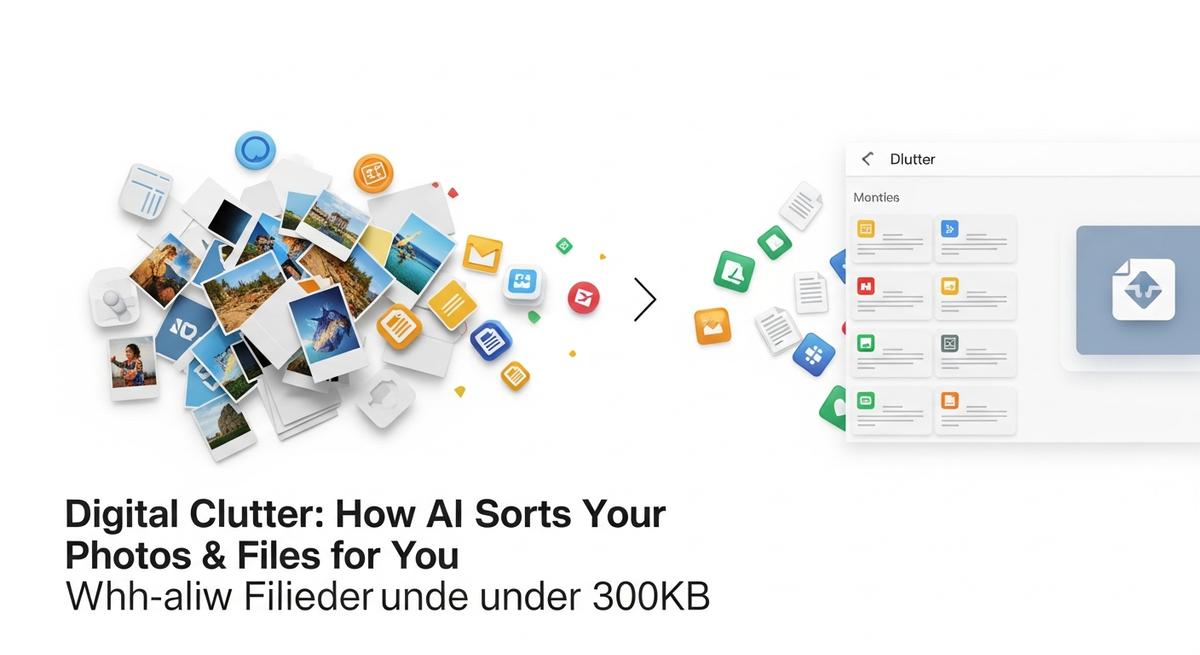
Digital Clutter: How AI Sorts Your Photos & Files for You
- November 26, 2025
- ~ 1 min read
- 212 views
- Everyday AI , Lifestyle & AI
Introduction to Digital Clutter and AI Solutions
Understanding the Growing Problem of Digital Clutter
In today’s digital age, the sheer volume of digital files—from photos and documents to emails and app data—can quickly become overwhelming. This accumulation, known as digital clutter, not only consumes valuable storage space but also impacts productivity and mental well-being. Studies show that over 77% of people feel that digital clutter negatively affects their lives, often causing frustration, stress, and slower device performance. For example, many users report their phones or computers slowing down or crashing due to unmanaged files and apps, with nearly 40% experiencing these issues regularly. Additionally, digital clutter can lead to cognitive overload, making it difficult to find important files or photos when needed, which further hampers efficiency and focus[2][4][7].
AI as a Revolutionary Solution for Photo and File Management
Fortunately, advances in artificial intelligence have introduced powerful tools to tackle this challenge. AI photo organization and file management technologies use machine learning algorithms to automatically sort, categorize, and prioritize digital content. These intelligent systems can recognize faces, objects, locations, and even emotions in photos, enabling seamless and intuitive sorting without manual effort. Beyond photos, AI can detect duplicate files, suggest deletions, and optimize storage by identifying rarely accessed or outdated data. This transformation allows users to regain control over their digital environment with minimal time investment, turning what was once a tedious chore into an effortless process[1][3].
What to Expect: Simplifying Your Digital Life with AI
In this article, you will discover how AI is reshaping the way we manage our digital assets, reducing clutter and enhancing productivity. We will explore the key challenges posed by digital clutter, the core AI technologies driving photo sorting and file organization, and practical tips to implement these solutions in your daily digital routine. Additionally, we will highlight how AI not only improves personal efficiency but also contributes to reducing the environmental impact of excessive data storage. Whether you are a photography enthusiast, digital content creator, or simply someone overwhelmed by the volume of files on your devices, this guide will equip you with the knowledge to harness AI for a cleaner, smarter digital experience.
How AI Works to Sort and Organize Your Photos and Files
Core AI Techniques: Image Recognition, Facial Recognition, and Metadata Extraction
At the heart of AI-powered photo and file organization lie advanced technologies such as image recognition AI, facial recognition, and metadata extraction. Image recognition enables AI systems to analyze the visual content of photos, identifying objects, scenes, and even subtle details like colors or textures. This process is akin to having a highly observant assistant who scans every image to understand what’s inside it without needing manual input.
Facial recognition technology further enhances organization by detecting and distinguishing individual faces within photos. This allows AI to automatically group images by people, making it effortless to find all photos of a family member, friend, or colleague. Complementing these visual analyses, metadata extraction pulls information embedded in files—such as date, location, camera settings, and file type—which provides additional context for sorting and categorization.
Automatic Tagging and Categorization: Streamlining Your Library
Once AI understands the content and context of your photos and files, it applies automatic tagging to label images with relevant keywords like “beach,” “birthday,” or “sunset.” These tags form the basis for categorization, enabling the creation of smart albums and folders organized by themes, events, or subjects without any manual effort.
This automatic tagging process is powered by machine learning models that continuously improve as they analyze more data, increasing accuracy and relevance over time. For example, AI can differentiate between a “dog” and a “wolf,” or recognize specific landmarks and objects, making your digital library more intuitive and searchable.
Grouping Similar Photos and Detecting Duplicates
An important feature of AI organization is its ability to group similar photos and detect duplicates. Using pattern recognition, AI clusters images that share visual characteristics—such as multiple shots from the same event or photos with nearly identical compositions. This grouping helps users quickly browse through collections and select the best shots based on technical qualities like sharpness or brightness.
Duplicate detection algorithms scan for identical or near-identical files, flagging them to reduce clutter and free up storage space. This automated cleanup saves hours of tedious manual sorting and ensures your digital library remains streamlined and efficient.
Smart Search and Filtering: Finding Photos Instantly
One of the most powerful benefits of AI in digital organization is its smart search capability. Unlike traditional search methods that rely on file names or manual tags, AI-powered search understands natural language queries and visual content. For instance, you can type “sunset at the beach with friends” and instantly retrieve matching photos, even if you never labeled them explicitly.
Advanced filters allow you to combine multiple criteria—such as date ranges, locations, people, or objects—making it easier to zero in on exactly what you need. This intelligent filtering turns an overwhelming photo library into an easily navigable collection, dramatically reducing the time spent searching.
Integration with Cloud Storage and Syncing
Modern AI photo organizers seamlessly integrate with cloud storage platforms, enabling automatic syncing across devices. This integration means your sorted, tagged, and grouped photos are accessible from anywhere, whether on your smartphone, tablet, or desktop. Cloud syncing also ensures that any organizational changes—like new tags or album creations—are updated in real-time across your entire digital ecosystem.
By combining AI’s powerful sorting capabilities with cloud connectivity, users benefit from a unified, clutter-free photo and file library that is always up to date and easy to manage.
Real-World Examples and Use Cases of AI Photo and File Sorting
AI-Powered Photo Management Tools
Several AI photo management tools have revolutionized how users organize and sort their digital photo collections. For instance, Excire integrates intelligent search operators and script automation to streamline photo processing, especially when combined with Adobe Lightroom. PhotoPrism leverages advanced AI similar to ChatGPT, allowing users to perform natural language queries like “find all photos with red cars and trees,” enhancing search accuracy and file organization over time. Adobe Sensei, embedded in Adobe’s Creative Cloud, offers powerful AI features such as automatic tagging, face detection, and smart adjustments that adapt edits across similar photos. These tools not only reduce manual labor but also improve the speed and precision of sorting large photo libraries.
Use Cases in Personal Photo Libraries
For personal photo organization, AI is a game-changer. Family albums and travel photos often accumulate into overwhelming collections, making retrieval difficult. AI-powered tools automatically tag images by recognizing faces, locations, and objects, enabling users to find specific moments quickly. For example, Google Photos uses AI to sort pictures by events, dates, and even people, while Mylio’s AI features help declutter by identifying duplicates and low-quality shots to archive or delete. Users can effortlessly create smart albums, such as “Summer Vacation 2024” or “Grandma’s Birthday,” with minimal manual input. This personal photo organization not only saves time but also helps preserve memories in a structured, accessible way.
Professional Use Cases: Photographers, Marketers, and Content Creators
In professional contexts, professional photo sorting powered by AI enhances workflow efficiency and creative output. Photographers benefit from AI culling tools like Imagen AI, which automatically selects the best shots by detecting blur, closed eyes, or poor exposure, significantly reducing the time spent on initial sorting. Marketers and content creators use AI to tag and categorize vast image libraries, enabling quick access to assets for campaigns or social media. Tools such as Claid.ai specialize in product photography, offering automated background removal and realistic scene generation, ideal for eCommerce marketing. AI-driven metadata tagging and face recognition also facilitate collaboration by simplifying approvals and asset sharing across teams.
How AI Assists in Business Workflows
Businesses leverage AI to automate tedious aspects of digital asset management, creating automated workflows that enhance productivity. AI systems automatically tag files with relevant keywords, detect duplicates, and even generate captions or metadata, reducing manual input. For example, Imgix offers API integrations that connect AI tagging with automated image resizing and delivery, streamlining content distribution. In creative agencies, AI accelerates approval processes by organizing files for easy review and sharing. Additionally, transcription features embedded in AI photo management platforms can generate subtitles from video content, broadening the utility of digital assets. These applications demonstrate AI’s role in transforming digital clutter into a well-ordered, actionable resource for businesses.
Advanced AI Concepts and Expert Insights in Digital Organization
Behind the seamless experience of AI-powered photo and file organization lies a complex ecosystem of deep learning and neural networks. These technologies are the backbone of modern digital clutter management, enabling systems to not only categorize images but also understand their context, content, and relationships. As digital collections grow, the sophistication of these AI models becomes increasingly critical to maintaining efficiency and accuracy.
Neural Networks and Deep Learning in Image Classification
At the heart of AI-driven photo sorting are convolutional neural networks (CNNs), a specialized type of deep learning model designed to process grid-like data such as images. CNNs automatically extract features from raw pixel data, progressing from simple edges and textures to complex patterns like objects and faces. This hierarchical feature extraction allows the network to classify images with high precision, even in large and diverse datasets.
During training, CNNs learn optimal filter values through backpropagation, adjusting internal parameters to minimize classification errors. The process involves multiple layers—convolutional, ReLU, pooling, and fully connected—each playing a crucial role in feature extraction and final classification. As the network deepens, it becomes capable of recognizing increasingly abstract and nuanced visual elements, making it exceptionally effective for tasks like photo categorization and file organization.
Advanced Facial Recognition Accuracy and Privacy Considerations
Facial recognition is one of the most advanced applications of AI in digital organization. Modern systems leverage deep learning to achieve remarkable facial recognition accuracy, identifying individuals across varying lighting conditions, angles, and expressions. However, this capability raises important AI privacy concerns, particularly regarding data security and user consent.
Experts emphasize the need for robust privacy safeguards, such as on-device processing and anonymization techniques, to protect sensitive information. Industry leaders are also exploring federated learning, where models are trained across decentralized devices without sharing raw data, further enhancing privacy while maintaining accuracy.
AI-Driven Metadata Enrichment and Semantic Tagging
AI goes beyond simple classification by enriching files with metadata and semantic tagging. These tags capture contextual information, such as location, time, and objects present, making it easier to search and retrieve specific files. Semantic tagging leverages natural language processing and deep learning to understand the meaning behind images and documents, enabling more intuitive and powerful organization.
For example, a photo of a sunset at the beach might be tagged with "sunset," "beach," "vacation," and "family," allowing users to quickly find related images. This level of detail transforms digital clutter management from a manual chore into an intelligent, automated process.
Edge Cases: Handling Ambiguous Images and Mixed Media Files
AI systems must also navigate edge cases, such as ambiguous images or mixed media files. Advanced models use ensemble techniques and uncertainty quantification to handle these challenges, ensuring reliable performance even in complex scenarios. For instance, a blurry image might be flagged for manual review, while a mixed media file could be split into its constituent parts for separate analysis.
Expert Insights on Future Trends and AI Improvements
Looking ahead, experts predict continued advancements in AI-driven digital organization. Emerging trends include real-time classification, integration with augmented reality, and the democratization of AI tools through AutoML platforms. These innovations promise to make digital clutter management more accessible and effective for users of all skill levels.
“The future of digital organization lies in the seamless integration of AI with user-centric design, ensuring that technology not only sorts files but also enhances the overall user experience.”
As AI continues to evolve, its role in managing digital clutter will become increasingly indispensable, offering smarter, faster, and more secure solutions for organizing our digital lives.
Implementing AI Tools to Manage Your Digital Clutter
Managing digital clutter is no longer a manual chore thanks to the rise of AI-powered tools. Whether you’re a photographer with thousands of images or a content creator juggling files across devices, implementing the right AI solutions can dramatically streamline your workflow. Here’s how to get started and make the most of these powerful tools.
Selecting the Right AI-Powered Organizer
Choosing the best AI photo organizer setup depends on your specific needs. For photographers, tools like PhotoPrism and Excire Foto offer advanced AI tagging and search capabilities, making it easy to find images by subject, color, or even mood. If you work across multiple devices, consider solutions like Google Photos or Mylio, which sync your files and apply AI-driven organization in the cloud. For professionals needing deep integration with editing software, Adobe Lightroom Classic and ACDSee Photo Studio Ultimate provide robust AI features within familiar workflows. Always check for compatibility with your operating system and preferred cloud storage services before committing.
Setting Up Automatic Tagging and Categorization
Once you’ve chosen your tool, configure automatic tagging to maximize efficiency. Most AI organizers allow you to enable features like facial recognition, object detection, and scene analysis. For example, PhotoPrism lets you use natural language queries to search for images, while Excire Foto uses Adobe Sensei AI to tag photos based on content. To set this up:
- Import your photo library or file collection into the software.
- Navigate to the AI or tagging settings and enable automatic tagging.
- Customize your preferences—choose which types of tags (people, places, objects) you want generated.
- Allow the software time to process your files; larger libraries may take several hours.
After setup, your files will be categorized and searchable, saving you hours of manual sorting.
Managing Duplicates and Grouping Similar Files
Duplicate file management is a critical step in reducing digital clutter. Many AI tools, such as Mylio and Excire Foto, include built-in deduplication features. Enable these options to automatically identify and remove redundant files. For grouping similar images, use AI-powered smart albums or collections. These features analyze visual content and metadata to group photos by event, location, or theme. Regularly review these groups to ensure accuracy and delete or archive files you no longer need.
Best Practices for Cloud Integration
Integrating your AI organizer with cloud storage services like Dropbox, Google Drive, or Amazon S3 ensures your files are accessible and backed up across devices. When setting up cloud integration:
- Link your cloud accounts within the AI tool’s settings.
- Configure sync preferences—choose which folders or libraries to sync and how often.
- Monitor storage usage and adjust settings as needed to avoid exceeding limits.
Regularly audit your cloud storage to remove outdated or unnecessary files, and use AI search features to quickly locate what you need.
Pro Tip: Schedule periodic reviews of your AI-organized libraries to maintain accuracy and efficiency. Over time, AI models improve, so reprocessing your files occasionally can yield better results.
By following these steps and best practices, you can transform your digital clutter into a well-organized, easily accessible collection. With the right AI tools and a bit of setup, managing your photos and files becomes effortless and scalable.
Comparing AI Photo Organizers: Features, Pros, and Cons
Leading AI Photo Organizers: Features, Pricing, and Platforms
When it comes to tackling digital clutter, AI photo organizers have become essential tools for both casual users and professionals. Here’s a snapshot of some of the most popular options in 2025:
- Google Photos: Known for its intuitive interface and robust AI tagging, Google Photos organizes images by events, people, places, and even trips. It offers 15GB of free storage, cross-platform access, and seamless syncing. Pricing starts at $1.99/month for 100GB, with advanced family sharing features.
- Adobe Lightroom: Favored by photographers, Lightroom combines powerful editing tools with AI-driven organization. It excels in facial recognition, metadata tagging, and cloud syncing. Subscription plans start at $9.99/month, with integration into the Creative Cloud suite.
- Mylio Photos: Mylio stands out for its flexibility, supporting both cloud and local storage. It uses AI for smart albums, deduplication, and metadata management. Pricing begins at $2.99/month, with a free tier available for basic features.
- Daminion: Designed for teams, Daminion offers advanced AI facial recognition and metadata control. It’s cloud-based, with a free tier and paid plans starting at $49/year for small teams.
- Excire Foto: This AI-first solution impresses with rapid, accurate tagging and search capabilities. It’s ideal for large libraries, with a one-time purchase of $99.
AI-Based vs. Manual Organization: Pros and Cons
AI-based organization streamlines the process of sorting and tagging photos, saving hours of manual labor. AI photo organizer comparison reveals that automated tools excel in speed and accuracy, especially for large collections. However, manual methods offer greater control and customization, which can be crucial for professional workflows.
- Pros of AI: Fast tagging, intelligent search, automatic grouping, and reduced user effort.
- Cons of AI: Occasional misclassification, limited customization, and potential privacy concerns.
- Pros of Manual: Full control over tags and organization, tailored workflows, and no reliance on algorithms.
- Cons of Manual: Time-consuming, prone to human error, and less scalable for large libraries.
Cloud vs. Local Storage: Trade-offs and Privacy Considerations
The choice between cloud vs local storage is a critical factor in selecting an AI photo organizer. Cloud solutions like Google Photos and Daminion offer convenience, accessibility, and automatic backups, but they raise concerns about privacy in AI tools. Local solutions such as Mylio and Excire Foto provide greater data control and security, but may require more technical setup and maintenance.
When evaluating software pros and cons, consider your priorities:
- Cloud-based: Easy access, automatic syncing, and scalable storage. However, data is stored on third-party servers, which may be subject to privacy policies and potential breaches.
- Local-based: Enhanced privacy, full control over your data, and no reliance on internet connectivity. Drawbacks include limited accessibility and the need for robust local hardware.
Ultimately, the best choice depends on your specific needs—whether you prioritize convenience, privacy, or control.
Conclusion and Next Steps for Tackling Digital Clutter with AI
Recap: The Power of AI in Digital Organization
Throughout this article, we’ve explored how artificial intelligence is transforming the way we manage our digital lives. From automatically sorting photos and detecting duplicates to intelligently organizing files and streamlining workflows, AI offers digital clutter solutions that save time, reduce stress, and boost productivity. By leveraging AI-powered tools, users can reclaim control over their digital spaces, whether it’s a vast photo library or a cluttered document repository. The AI organization benefits are clear: faster access to information, improved focus, and a more enjoyable digital experience.
Key Takeaways
- AI tools can automatically categorize, tag, and organize your photos and files, making them easier to find and manage.
- Regular use of AI-driven organization reduces the mental load of manual sorting and helps maintain a tidy digital environment.
- Many AI-powered platforms offer features like semantic search, smart folders, and automated cleanup, which adapt to your habits and needs.
- Embracing AI for digital decluttering not only enhances productivity but also supports mental well-being by minimizing distractions and cognitive overload.
Next Steps: Getting Started with AI Tools
Now that you understand the value of AI in tackling digital clutter, it’s time to take action. Start by exploring popular AI-powered organization tools such as Dropbox Dash, Mymind, Fabric, Notion AI, and BookFusion Smart Shelves. These platforms make getting started with AI tools simple and intuitive, even for beginners. Begin with a small project—like organizing your photo collection or cleaning up your inbox—and gradually expand to other areas of your digital life.
Remember, the key to lasting success is consistency. Set aside a few minutes each week to review and organize your digital files using AI assistance. Over time, you’ll notice a significant improvement in your workflow and overall digital well-being.
“A clutter-free digital space isn’t just about efficiency—it’s about creating a calmer, more focused environment where creativity and productivity can thrive.”
Don’t let digital clutter hold you back. Embrace the power of AI and start building a more organized, stress-free digital life today. Your future self will thank you.


Comments (0)
Please login or register to leave a comment.
No comments yet. Be the first to comment!